The Chicken Road 2 demo lets you play the full game with virtual credits — same mechanics, same difficulty levels, same multiplier structure, same provably fair system. The only difference is that wins and losses do not touch your balance. No registration required, no deposit, no download. Open the demo, pick a difficulty, and play.
That sounds straightforward, and it is. But where you access the demo matters more than most players realise. The real InOut Games demo runs inside licensed casino platforms and on the developer’s own website. Anything else — standalone “demo” sites, Telegram links, APK files promising free play — is either a clone or a data collection tool.
This page covers where to play Chicken Road 2 for free, what the demo teaches you (and what it does not), and the difference between demo mode and real-money play.
| Detail | Info |
|---|---|
| Demo available | Yes — free, no registration |
| Developer | InOut Games |
| Demo mechanics | Identical to real-money version |
| Difficulty levels in demo | All 4 — Easy, Medium, Hard, Hardcore |
| Virtual credits | Unlimited (resets on reload) |
| Real winnings in demo | No — virtual credits only |
| Download required | No — runs in browser |
| Mobile demo | Yes — same browser access |
Where to Play Chicken Road 2 Demo
Three legitimate sources. Anything outside this list should be treated with caution.
Play Chicken Road 2 Demo on This Page
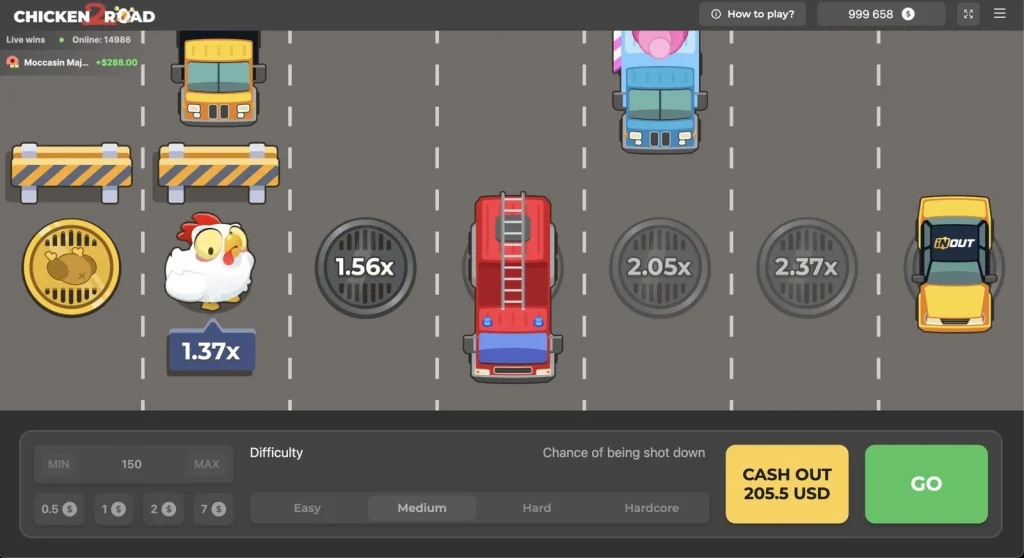
You do not need to leave this site to try the game. The Chicken Road 2 demo is embedded directly above — the same InOut Games version available at licensed casinos, running in your browser with virtual credits. No registration, no deposit, no redirect.
Pick a difficulty, place a virtual bet, and play as many rounds as you want. Credits reset when you reload the page, so there is no limit on how long you can test. Use it to get a feel for the cash-out timing, compare the four difficulty levels, and decide whether the game suits your style before moving to a real-money casino.
InOut Games Official Website
The developer’s own site offers a demo version directly. This is the cleanest option — no casino registration, no account creation, no marketing popups. You load the page, the game runs, and you play with virtual credits.
This is the best starting point if you want to test the mechanics before choosing a casino. The demo on InOut’s site is the reference version — identical to what licensed casinos host, but without any casino-specific branding or bonus prompts around it.
Licensed Casino Websites
Most casinos that carry Chicken Road 2 in their game lobby also offer a demo mode. The demo is typically accessible without logging in — look for a “Demo,” “Fun Mode,” or “Try for Free” button next to the real-money play option.
| Casino | Demo Available | Registration Required | How to Access |
|---|---|---|---|
| Stake | Yes | No | Open game → select “Fun Mode” |
| BC.Game | Yes | No | Open game → select “Demo” |
| MyStake | Yes | No | Open game → select “Demo” |
| FEZbet | Yes | No | Open game → select “Fun Mode” |
| 1xBet | Yes | Varies | Open game → check for demo toggle |
| Gransino | Yes | No | Open game → select “Demo” |
If a casino requires you to register or deposit before accessing the demo, use a different casino or go directly to InOut Games’ website. A legitimate demo should never be locked behind a paywall.
The casino demo is identical to the InOut Games version mechanically, but it runs inside the casino’s interface. This means you also see the casino’s deposit buttons, bonus banners, and account prompts around the game. If you just want to test the game without distractions, the developer’s own site is cleaner.
Where NOT to Play the Demo
- Standalone “Chicken Road 2 game demo” websites that are not InOut Games or a licensed casino. These are clones — they may look identical, but the RNG is not verified, and some collect personal data through fake registration forms
- Telegram channels offering “free demo access” with a link. The link typically leads to an unlicensed clone or a phishing page
- APK files or app downloads labelled as “Chicken Road 2 demo.” The demo is browser-based. If something asks you to download a file, it is not from InOut Games
- Social media ads promoting free play. The real demo does not need advertising — it is freely available at the sources listed above
What the Demo Teaches You
The demo is useful. It is not a strategy tool, but it covers the things that matter before you commit real money.
- How the difficulty levels feel. Reading that Easy has 30 lines and Hardcore has 8 is one thing. Playing ten rounds on each and feeling how quickly the crash comes is different. The demo lets you calibrate which difficulty matches your risk tolerance without paying for the lesson
- Cash-out timing. The core decision in Chicken Road 2 is when to stop. The demo lets you experiment — cash out early for ten rounds, let it ride for ten rounds, mix strategies. You start to develop a rhythm, even if that rhythm is not “optimal” in any mathematical sense
- The interface. Bet sizing, the cash-out button placement, how the multiplier display works, where the provably fair verification sits. Familiarity with the interface means you are not fumbling when real money is on the line
- Volatility in practice. You can read that the game is high-volatility, but watching your virtual credits swing from 500 to 2,000 to 150 across twenty rounds makes the concept real
What the Demo Does Not Teach You
This is the part most demo guides skip, and it matters.
The demo Chicken Road 2 does not replicate the emotional pressure of real-money play. When virtual credits are on the line, cashing out at 3x feels easy. When it is real money — your money — the same 3x feels too early. “Just one more step” becomes the default, and that one more step is where most losses happen.
Research and player experience consistently show the same pattern: demo players are more disciplined than real-money players. The demo gives you a false sense of how you will actually behave. You are not testing your strategy — you are testing your strategy under zero-pressure conditions, which is not the same thing.
Use the demo to learn the mechanics and pick your difficulty level. Do not use it to validate a cash-out strategy and assume that strategy will survive contact with real stakes. It probably will not, at least not until you have played enough real rounds to build genuine discipline.
Demo vs Real Money — Key Differences
| Demo Mode | Real Money | |
|---|---|---|
| Credits | Virtual (unlimited, resets on reload) | Real balance (your deposited funds) |
| Mechanics | Identical | Identical |
| Difficulty levels | All 4 available | All 4 available |
| Provably fair | Active (verifiable) | Active (verifiable) |
| RTP | 95.51% (same) | 95.51% (same) |
| Winnings | Not withdrawable | Withdrawable (subject to casino terms) |
| Emotional pressure | None | Significant |
| Cash-out behaviour | Typically more disciplined | Typically more impulsive |
| Best for | Learning mechanics, testing difficulty | Playing for real outcomes |
The mechanics are the same. The experience is not. Treat the demo as a tutorial, not a preview of your real-money results.
Conclusion
The Chicken Road 2 demo is the only responsible way to start. Not because anyone is forcing you to — but because ten minutes of free play teaches you more about the game than any review can. How the difficulty levels actually feel. How quickly your instincts shift between Easy and Hardcore. Where your natural cash-out point sits, and how often that point is too late.
Three places to access it legitimately: this page, InOut Games’ official website, and the demo mode inside licensed casino game lobbies. Anything outside those three — standalone sites, APK downloads, Telegram links — is not from the developer and is not safe.
One thing to keep in mind when you move from demo to real money: you will play differently. The demo builds mechanical familiarity. It does not build emotional discipline. That part only comes with real rounds, real stakes, and real consequences. Start with a small deposit, use Easy mode, set a budget, and treat the first real-money session as an extension of the demo — not as an opportunity to chase the multipliers you hit with virtual credits.
The Chicken Road 2 game demo is free. Use it.
Frequently Asked Questions
Is the Chicken Road 2 demo the same as the real game?
Mechanically, yes — same RTP (95.51%), same difficulty levels, same multiplier structure, same provably fair verification. The only difference is that demo wins are not withdrawable and the emotional dynamic of playing with virtual credits is fundamentally different from real money.
Can I play Chicken Road 2 for free?
Yes. A free demo is available at InOut Games’ official website and at most licensed casinos that carry the game. No registration, no deposit, no download required. The demo uses virtual credits with mechanics identical to real-money play.
Do I need to register to play the demo?
Not at InOut Games’ website or at most partner casinos. If a site requires registration or a deposit before letting you access the demo, use a different source.
Can I play the demo on mobile?
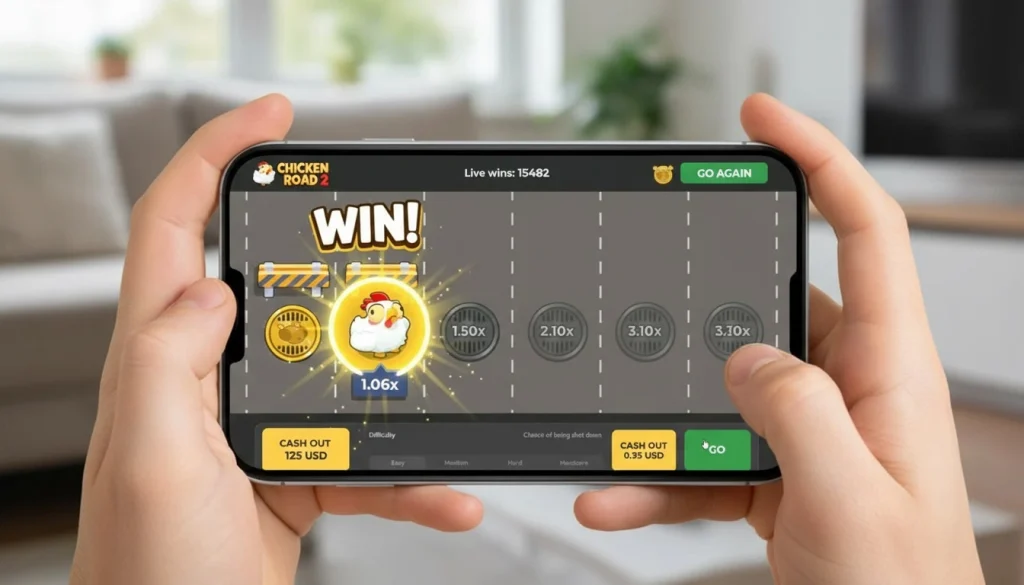
Yes. The demo runs in any mobile browser — Chrome, Safari, Firefox — identically to the desktop version. No app or download needed.
Where is the best place to play the Chicken Road 2 demo?
InOut Games’ official website for a clean, distraction-free experience. Any licensed casino (Stake, BC.Game, MyStake, FEZbet, Gransino) for a demo inside the casino environment where you can transition to real-money play when ready.
Does demo performance predict real-money results?
No. The RNG is the same, but your behaviour under demo conditions (no real risk) is typically more disciplined than under real-money conditions. Do not assume demo results will transfer.